Day 10 - Rock formation

I think we need some stuff to tell us that we’re moving while in the air, some landmarks that we can see. So I decided to create a rock formation today.
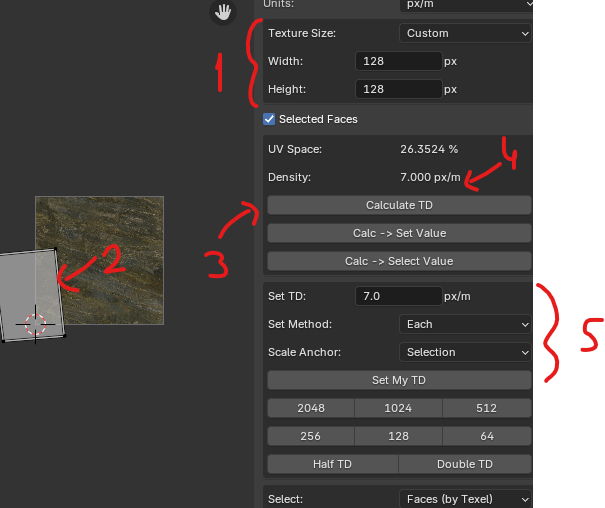
I also downloaded and used a free add-on for checking and setting texel density for blender (Texel Density Checker)
Here’s how to use texel density checker in blender.
In Edit mode in UV view.
Set your texture size
Select the faces you want to check texel density of
Press Calculate TD
Check if Density value is the value you wanted to be
(Alternatively) You can write a number in Set TD field, and press Set My TD to scale the face/island automatically
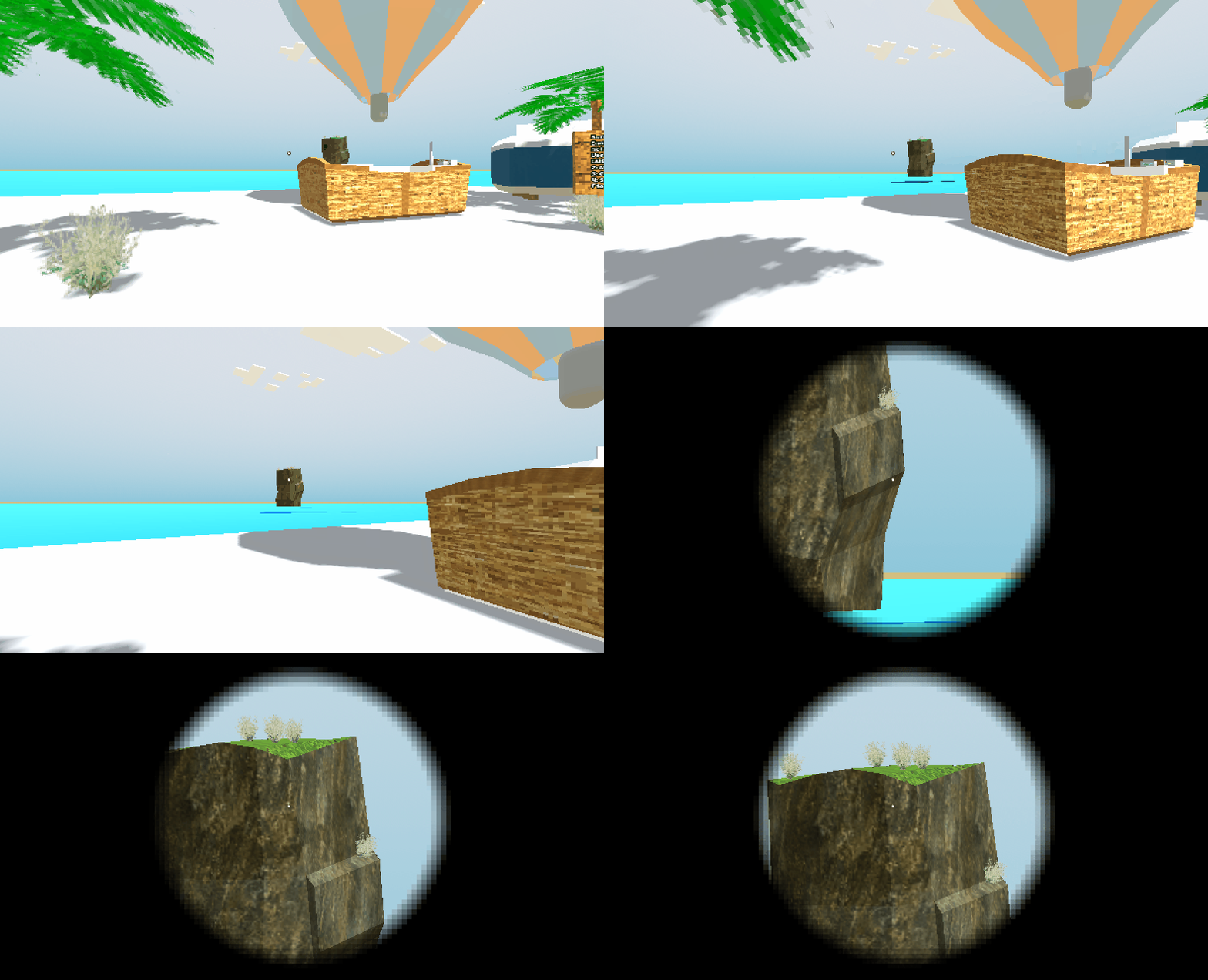
I added some bushes on top using Proton Scatter add-on for Godot, since my reference picture had some bushes on top. I think we’ll need to create some more foliage and trees soon enough.
Bushes are not really visible from far, but I added a spyglass to the game so you can see them :D
Happy Wednesday!


